
AI Invoice Processing for Restaurants: How Pattern Learning Cuts Costs
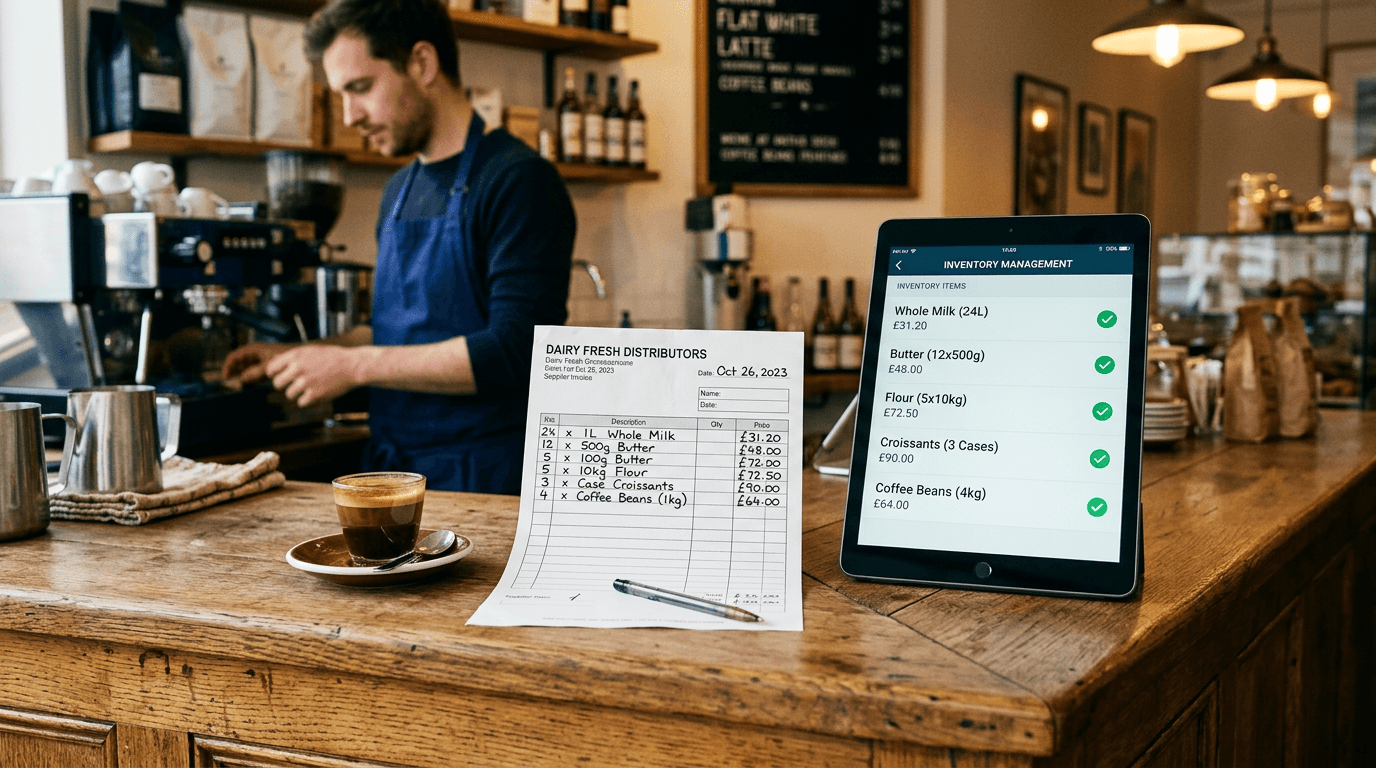
Most invoice processing tools for hospitality work the same way. You scan or photograph an invoice, the system uses OCR (optical character recognition) to read the text, and then someone - either you or a human reviewer - checks the results and fixes the mistakes.
This is better than typing everything yourself. But it's still fundamentally manual at its core. The system doesn't remember that it processed an identical invoice format from the same supplier last week. Every invoice is treated as if it's the first one the system has ever seen.
Pattern learning changes this. And it's the difference between invoice processing that saves you some time and invoice processing that actually gets out of your way - one of the AI applications that genuinely earns its place in a café.
How Traditional Invoice Processing Works
The typical flow in most hospitality invoice tools:
- Capture - You photograph the invoice, scan it, or email it to the system
- OCR extraction - The system reads the text and tries to identify line items, quantities, prices, VAT
- Human review - Someone checks the extraction, fixes errors, matches items to your ingredient list
- Approval - The data is confirmed and pushed to your accounts/recipe costs
Steps 1 and 2 are automated. Steps 3 and 4 are where the time goes.
The human review step exists because OCR isn't perfect. Your supplier's PDF might have an unusual layout. The handwritten delivery note from your butcher is barely legible. A line item says "Org FF Milk 2L x 6" and the system doesn't know if that's 6 units of 2-litre bottles or 12 litres total.
Some platforms describe this as "human-AI" processing. That's honest marketing - there is genuinely a human in the loop. The AI does the heavy lifting, the human catches mistakes. Accuracy is high, but it's not instant and it doesn't scale for free.
What Pattern Learning Does Differently
Pattern learning takes a fundamentally different approach. Instead of treating every invoice as a new problem, the system remembers.
After processing your first invoice from a supplier:
- It learns the invoice layout (where the line items are, where the totals are, how VAT is presented)
- It maps their product descriptions to your ingredient list
- It notes the units and quantities format they use
After processing the fifth invoice from the same supplier:
- Extraction accuracy is significantly higher because the system knows the format
- Item matching is near-instant because it's seen these products before
- Edge cases that tripped up the first invoice are handled automatically
After processing the twentieth:
- The invoice is processed in seconds, not minutes
- The system handles format variations (different delivery drivers write things slightly differently)
- Your ingredient prices update automatically, your recipe costs adjust, and the data flows to your accounting software
The key insight: the system gets better with your specific data, not just generally better. It's learning your suppliers, your ingredient list, your accounting codes.
Why This Matters for Independents
If you're processing 40-60 invoices a month from 8-10 regular suppliers, the maths is straightforward.
Month 1: The system is learning. Processing takes a bit longer as it builds its understanding of each supplier's format. You might spend 10-15 minutes reviewing and correcting extractions.
Month 2: Most regular suppliers are recognised. The system handles their invoices with minimal intervention. Review time drops to a few minutes for the whole batch.
Month 3 onwards: Your regular supplier invoices process near-automatically. You're only spending time on new suppliers or unusual invoices.
Compare this to a system without pattern learning, where month 12 requires the same amount of review as month 1.
Ingredient Matching: The Hard Problem
Extracting text from an invoice is the easy part. The hard part is matching what the invoice says to what's in your ingredient system.
Here's why this is difficult:
Your butter supplier's invoice says "Lurpak Slty 250g". Your ingredient list says "Lurpak Salted Butter 250g". A human knows instantly these are the same thing. A simple text-matching system doesn't.
Now multiply this across every supplier and every ingredient. Your veg supplier abbreviates differently from your dairy supplier. One writes "Tom Cherry Vine 500g", another writes "Cherry Tomatoes on the Vine (500g)". Your coffee bean roaster uses internal batch codes that mean nothing to anyone outside their warehouse.
Basic matching uses exact text comparison. "Lurpak Slty 250g" doesn't match "Lurpak Salted Butter 250g". You manually map it every time.
Fuzzy matching uses algorithms to recognise that similar strings probably mean the same thing. It handles abbreviations, spelling variations, and word order differences. "Lurpak Slty 250g" and "Lurpak Salted Butter 250g" are matched automatically.
Canonical grouping goes further. When three different suppliers all sell you salted butter under slightly different names, the system recognises them as the same underlying ingredient and tracks one unified price. This means your recipe costs reflect the actual average or latest price across all suppliers, not just the last one you happened to enter manually.
What This Means for Your Recipe Costs
The connection between invoice processing and recipe costing is where the real value lives.
Without pattern learning:
- Invoice arrives
- Someone extracts the data (manually or with basic OCR)
- Someone matches each item to your ingredient list (manually)
- Someone updates the ingredient prices (manually)
- Recipe costs eventually get updated (maybe)
With pattern learning:
- Invoice arrives
- System extracts the data (automatically, using learned patterns)
- System matches items to ingredients (automatically, using fuzzy matching)
- Ingredient prices update (automatically)
- Recipe costs update (automatically)
If you want to see how this works in practice, try our free Recipe Costing Calculator - it shows how ingredient prices feed into dish-level margins.
The difference isn't just speed. It's whether your recipe costs are actually current - and whether you genuinely know how to calculate your food cost percentage with up-to-date numbers. In the first scenario, there's always a lag. Prices changed two weeks ago but your recipe costs still show last month's numbers. In the second scenario, your recipe costs are as current as your latest invoice.
The Limitations (Being Honest)
Pattern learning isn't magic. There are genuine limitations:
New suppliers take time. The first invoice from a new supplier will take longer to process. The system needs to learn the format. If you frequently add new suppliers, the learning period is a recurring cost.
Low volume means slower learning. If you only get 5 invoices a month, the system has less data to learn from. Pattern learning works best with a steady flow of invoices from regular suppliers - which, fortunately, describes how most cafés and restaurants buy.
Unusual formats still need attention. A supplier who hand-writes invoices on carbon paper, or one whose PDF is actually a photographed printout, will always be harder to process. AI helps, but edge cases exist.
It's not a replacement for checking. Even with high accuracy, you should periodically spot-check that prices are being extracted correctly. Trust but verify - especially with new suppliers or after format changes.
How Brikly Uses Pattern Learning
This is where I stop being general and get specific, because this is what we built.
Brikly's invoice processing pipeline works like this:
-
Forward invoices to your dedicated email address. Each Brikly account gets a unique email. Your suppliers can send invoices directly, or you forward them yourself.
-
AI extraction with pattern learning. The system extracts every line item - ingredient name, quantity, unit, price, VAT. For suppliers it's seen before, this happens in seconds using learned format patterns.
-
Fuzzy ingredient matching. Each line item is matched to your ingredient list using similarity algorithms. "Org FF Milk 2L x 6" matches to "Organic Full Fat Milk 2L" even though the text is different.
-
Canonical grouping. If multiple suppliers sell you the same ingredient under different names, the system groups them so you see one ingredient price, not three confusing entries.
-
Automatic cost updates. Matched ingredients have their prices updated instantly. Every recipe using those ingredients recalculates automatically.
-
Accounting push. The invoice data - with correct account codes, VAT, and supplier details - flows to Xero, Sage, or QuickBooks.
The result: your supplier sends an invoice, and within minutes your recipe costs, your accounting records, and your margin calculations are all current. No manual data entry. No spreadsheet updates. No monthly reconciliation marathons.
Is it perfect from day one? No. The first few invoices from each supplier need a bit more attention. But by the time you've processed a month's worth of invoices, the system knows your suppliers and your ingredients, and the manual work drops to near zero.
Is AI Invoice Processing Worth It?
For a typical independent café or restaurant processing 40-60 invoices per month:
- Manual processing: 8-12 hours/month at 10-15 minutes per invoice
- Basic OCR (no learning): 3-5 hours/month (extraction helps, but review and matching are still manual)
- Pattern learning AI: Under 1 hour/month after the first month (spot-checking, handling new suppliers)
At £15/hour for your time (and honestly, as an owner, your time is worth more), that's a saving of £100-165/month in time alone. Before you factor in the accuracy improvements, the current recipe costs, and the supplier price changes you'd have missed - a problem that gets sharper with the FDF forecasting UK food inflation could hit 9% by year-end.
The tools that offer this start from £39/month. The maths works. You can explore our free tools to see the approach in action before committing to anything.
Ed O'Brien has run Hunters Cake Company for 17 years across cafés in Witney, Burford, and a bakery in Carterton, Oxfordshire. He's building Brikly - modular tools that give independent café owners the same data the big chains have, without the big chain price tag.