
Best Restaurant Invoice Processing Software UK (2026)
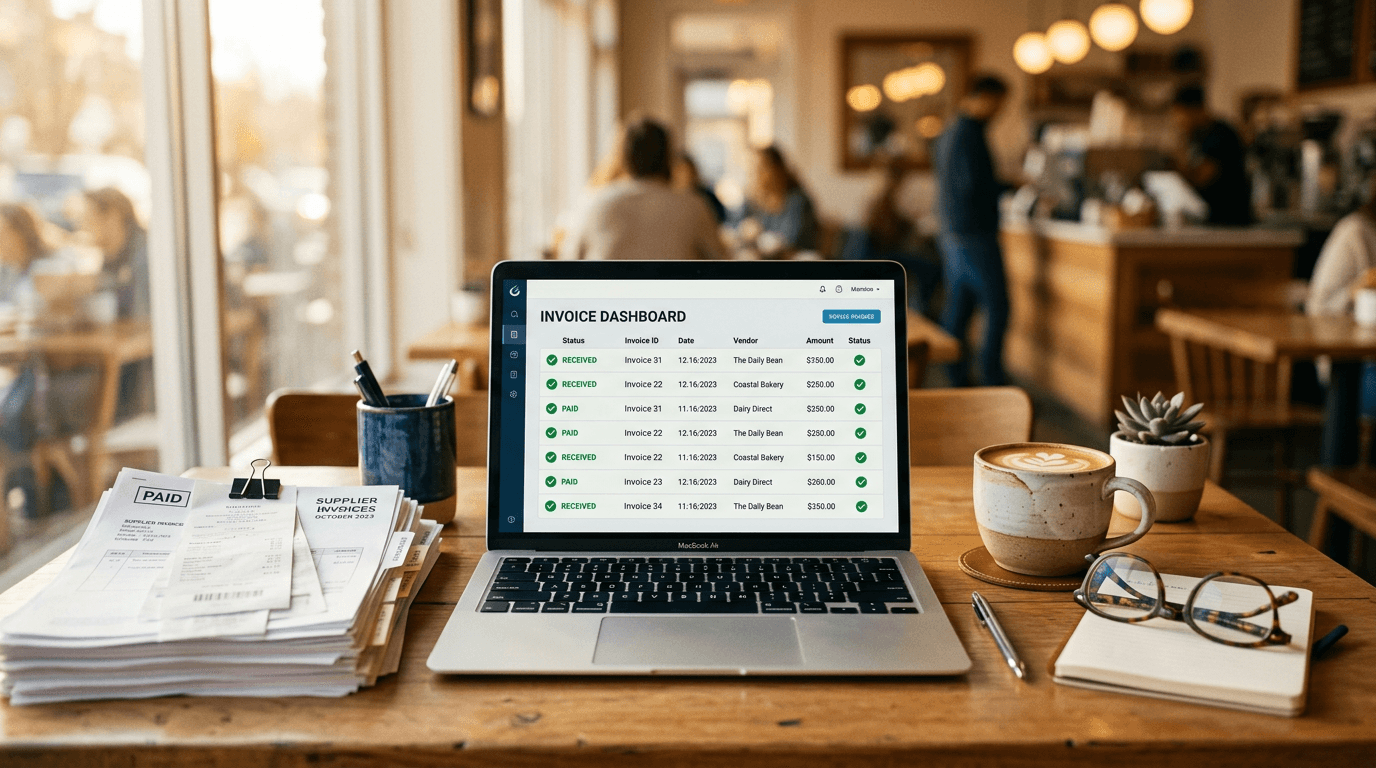
Every café and restaurant owner knows the feeling. It's Sunday evening, you've got a stack of supplier invoices from the week, and you're sat there manually typing line items into a spreadsheet or your accounting software. Butter, 4 x 250g, £6.80. Flour, 16kg, £12.40. Milk, 12 x 2L, £15.60. Over and over.
This is time you could spend on your menu, your team, or honestly just having an evening off.
Invoice processing software takes those paper and PDF invoices and extracts the data automatically - line items, quantities, prices, VAT. The good ones connect to your accounting software and your recipe costs. The best ones use AI pattern learning to learn your suppliers' formats and get faster over time.
Here's what's available for UK hospitality businesses in 2026, and what each option actually costs.
Do You Need Accounting Software or Invoice Processing?
A lot of independent operators search for "best restaurant accounting software UK" when the actual pain is the stack of supplier invoices. They're not the same product, and you probably need both. Here's how they differ.
Accounting software is your books of record: Xero, Sage Business Cloud Accounting, QuickBooks Online, FreeAgent. It handles your VAT returns, P&L, balance sheet, bank reconciliation, and everything HMRC wants under Making Tax Digital. Every UK restaurant needs one. £15 to £40 per month is typical for a small hospitality business, and your accountant will have a preference. Pick whichever they use.
Invoice processing software sits in front of your accounting software. It takes paper and PDF invoices, extracts the line items, and pushes the data into your accounting platform automatically. The food-specific tools (Jelly, Brikly) go further and feed that data into your recipe costs too, so when butter goes up 8%, your margins update without you doing anything.
You can't replace Xero or Sage with invoice processing software. But if you already have accounting software and you're still hand-typing supplier invoices into it on Sunday nights, invoice processing is what you're actually looking for. The rest of this guide covers your options.
If you're earlier in the stack and still picking an accounting platform, our comparison of restaurant accounting integrations walks through which one fits which type of operation.
What to Look For
Not all invoice processing is created equal. Before you compare tools, know what actually matters:
- Accuracy on real invoices. Demo invoices always work. What matters is whether the system handles your local butcher's handwritten delivery note or the PDF your veg supplier emails at midnight.
- Speed of processing. Does it take seconds, minutes, or does someone review every invoice manually before the data lands?
- Connection to your costs. Extracting invoice data is useful. Automatically updating your ingredient prices across every recipe that uses them - that's where the real value is. (If you're not sure what your current recipe costs look like, our free Recipe Costing Calculator is a good place to start.)
- Accounting integration. If the data doesn't flow into Xero, Sage, or QuickBooks without you re-keying it, you've just moved the bottleneck. (We wrote a full comparison of restaurant accounting integrations if this is a sticking point for you.)
- What it costs you vs what it saves you. A typical independent café or restaurant processes 30-60 invoices per month. At 10-15 minutes each manually, that's 5-15 hours. What's your time worth?
- Whether the price moves with your volume. Some tools cap invoices per month and tier their plans on it (Meezly, MarketMan's Starter plan, Dext, Lightyear). Others don't (Jelly, Brikly). A cheap entry price on a capped plan is only cheap if you stay under the cap.
1. Manual Entry (The Baseline)
Cost: Your time Accuracy: Depends how tired you are
Let's be honest about what most independent operators are doing today. Invoices arrive by email, by hand on delivery, or stuffed in a bag with the order. You manually enter them into a spreadsheet, your accounting software, or both.
It works. People have run successful cafés and restaurants this way for decades. But it has real costs:
- 10-15 minutes per invoice for careful entry. 40 invoices a month is 7-10 hours.
- Error rate of 2-5% on manual data entry. That doesn't sound like much until a decimal point error means you think butter costs £0.68 instead of £6.80.
- No automatic connection to recipe costs. Your prices changed three weeks ago and your margin calculations still show January's numbers.
- VAT mistakes. Mis-coding VAT on supplier invoices is one of the most common bookkeeping errors for small hospitality businesses.
2. Dext (formerly Receipt Bank)
Cost: From around £30/month (Dext doesn't publish UK prices on its site; third-party pricing trackers put the entry Business plan at £25-30) What it does: General expense and invoice capture Website: dext.com
Dext is the tool most accountants recommend. It's solid for general expense capture - photograph a receipt, it extracts the data, it pushes to your accounting software. Many UK restaurants already use it for expense management.
What's good:
- Broad accounting integrations (Xero, Sage, QuickBooks)
- Your accountant probably already knows it
- Good at extracting totals, dates, supplier names
- Mobile app for photographing receipts on the go
What to consider:
- Not built for food businesses. Dext captures invoice totals and basic line items, but it doesn't understand ingredients. It won't know that "6 x 2L Full Fat" is milk, or connect that price to your recipe costs.
- No recipe cost updates. The data goes to your accounting software, not your kitchen. Your food costs and Dext live in completely separate worlds.
- Line-item extraction is inconsistent. It's optimised for total amounts, not for the 15-30 individual line items on a typical food supplier invoice.
- No price tracking. If your cheese supplier increases prices by 8%, Dext won't flag it.
- Document allowance. The entry Business plan includes 250 documents a month. Fine for most independents, but receipts and invoices share the same allowance.
Best for: General bookkeeping and expense capture. If your accountant wants it for the accounting side and you use something else for food cost management, that's a reasonable setup.
3. Jelly
Cost: £129/month per location (invoice processing is bundled with everything else) What it does: Invoice scanning + recipe costing + POS integration Website: getjelly.co.uk
Jelly's invoice processing is part of their all-in-one kitchen management platform. You email invoices to a dedicated address or photograph them, and their "human-AI" system extracts the line items.
What's good:
- Invoices feed directly into recipe costs - prices update automatically
- Price alerts flag supplier changes
- Decent accuracy on standard PDF invoices
- Connects to Xero for accounting
What to consider:
- "Human-AI" means manual review. There's a human step in the processing loop. This is good for accuracy but means it's not instant.
- £129/month for invoice processing alone is steep if that's your primary need. You're paying for recipe costing, stock counting, supplier ordering, and everything else whether you use it or not.
- Xero only. No Sage, no QuickBooks.
- No pattern learning. The system doesn't progressively learn your specific suppliers' formats to speed up future processing.
Best for: Operators who want invoice processing bundled with recipe costing and menu engineering, and are already committed to Jelly's full platform.
4. Lightyear
Cost: From £99 to £130/month depending on edition, priced on monthly document credits (125 on the entry edition) What it does: Accounts payable automation Website: lightyear.cloud
Lightyear is a proper accounts payable platform - not hospitality-specific, but popular with UK businesses that process high volumes of invoices. It focuses on the approval workflow side: extracting data, routing invoices for approval, and pushing to accounting software.
What's good:
- Strong OCR accuracy on structured PDF invoices
- Good approval workflows for multi-site operations
- Integrates with Xero and other accounting platforms
- Handles purchase order matching
What to consider:
- Not built for food businesses. Like Dext, it doesn't connect invoice data to your recipes or food costs.
- £99/month starting price is a lot if you're just trying to avoid manual data entry on 40 invoices.
- Priced on document credits. The entry edition includes 125 a month. Enough for a café, but the model is built for finance teams who budget document volume.
- Overkill for most independents. The approval workflow features are designed for businesses with finance teams, not a café owner processing invoices on Sunday night.
Best for: Multi-site operations with dedicated finance staff who need formal approval workflows.
5. Meezly
Cost: £12/month (up to 75 invoices), £25 (up to 200), £35 (up to 1,000) What it does: Invoice extraction to Xero, price-rise alerts, statement reconciliation, recipe costing on the Pro plan Website: meezly.io
Meezly is a newer UK tool built around one job: get supplier invoices out of your inbox and into Xero without typing. Forward invoices, it extracts line items, flags price rises against previous invoices, and reconciles supplier statements. Recipe costing is included on the £35 Pro plan only.
What's good:
- Cheapest entry point on this list for a low-volume café. £12/month for up to 75 invoices.
- Price-rise alerts and statement reconciliation on every plan. That's real bookkeeping value at the entry price.
- Doesn't cut you off. Go over your plan's cap and Meezly nudges you up a tier. Your invoices keep processing.
What to consider:
- Priced by invoice volume. Count your real monthly volume before comparing. A café doing 60 a month is on the £25 plan; a small group doing 250 is on the £35 one.
- Recipe costing is Pro-only. If you want invoices to drive recipe costs, Meezly is a £35 tool.
- Xero only. No Sage, no QuickBooks.
- Costing is the newer layer. Extraction is the core product; recipe costing sits on top of it.
- Early product. When we tried it in September 2026, the Xero connection was still labelled as in testing, QuickBooks wasn't available, and our first Booker invoice failed to extract. Expect that to move fast, but check before trusting it with your books.
Best for: Xero-based cafés processing fewer than 75 invoices a month who want the typing to stop and price rises flagged, and who don't need costing yet.
6. Brikly
Cost: £39/month for your first location, £19/month per additional (invoice processing is part of CostingBrik) What it does: AI invoice processing with pattern learning, connected to recipe costing Website: brik.ly
I built Brikly because I was spending 8-10 hours a month typing invoices into spreadsheets, then another few hours updating recipe costs. The two jobs should be the same job.
Brikly's invoice processing works like this: forward your supplier invoices to your dedicated email address. The AI extracts every line item - ingredient, quantity, unit, price, VAT. It matches each item to ingredients in your system using fuzzy matching (so "Lurpak Slty 250g" and "Lurpak Salted Butter 250g" are recognised as the same thing). Your recipe costs update automatically.
What's good:
- Pattern learning. The AI learns each supplier's invoice format. The first invoice takes a bit longer. The twentieth is near-instant.
- Ingredient matching with canonical grouping. Three suppliers calling the same ingredient slightly different names? Brikly's fuzzy matching recognises them and keeps one accurate price.
- Direct recipe cost updates. Invoice data doesn't just sit in a ledger - it flows through to every recipe that uses those ingredients.
- Xero, Sage, and QuickBooks. Your accounting data goes where it needs to go, regardless of which platform you're on.
- £39/month, £19 per extra site. You're not paying for supplier ordering, stock counting, or features you don't need.
- No invoice cap by plan. Several tools now tier their pricing by how many invoices you upload a month. Brikly doesn't. There is a fair-usage allowance of 1,000 invoices a month per business, and processing carries on if you pass it (we get in touch rather than switching you off). A typical independent processes 30 to 60 a month, so in practice the ceiling never comes up.
- VAT extraction. Line-level VAT is captured and coded correctly, reducing bookkeeping errors.
What to consider:
- Newer to market than Dext or Jelly. If you want a tool that's been processing millions of invoices for years, the established players have a longer track record.
- Best results come after the learning period. The pattern learning system improves with volume. If you only process 5 invoices a month, the learning curve is slower.
Best for: Independent restaurants, cafés, and pubs who want invoice processing that directly feeds their food cost management.
Quick Comparison
| Manual | Dext | Jelly | Lightyear | Meezly | Brikly | |
|---|---|---|---|---|---|---|
| Monthly cost | Free | From ~£30 | £129 per site | £99-130 | £12-35 | £39 + £19 per extra site |
| Monthly invoice cap | Your evenings | 250 documents | None | 125 credits (entry edition) | 75 / 200 / 1,000 by plan | None by plan (1,000 fair use) |
| Line-item extraction | You | Basic | Good | Good | Good | Good |
| Pattern learning | N/A | No | No | No | No | Yes |
| Updates recipe costs | No | No | Yes | No | Pro plan only | Yes |
| Ingredient matching | No | No | Basic | No | Basic | Fuzzy + canonical |
| Price alerts | No | No | Yes | No | Yes | Yes |
| Xero | N/A | Yes | Yes | Yes | Yes | Yes |
| Sage | N/A | Yes | No | No | No | Yes |
| QuickBooks | N/A | Yes | No | No | No | Yes |
| Hospitality-specific | N/A | No | Yes | No | Yes | Yes |
Prices and caps checked September 2026 against each vendor's public pricing page. Dext doesn't publish UK prices; its figures come from third-party pricing trackers.
The Bottom Line
If you just need invoices captured for bookkeeping, Dext does the job and your accountant will thank you. If you're on Xero and under 75 invoices a month, Meezly does it for £12.
If you want invoice processing that actually makes a difference to your food costs - that tells you when prices change, updates your recipes automatically, and doesn't cost more than the problem it's solving - that's a smaller field. If food costing is your primary concern, our guide to food costing software for UK independents covers that side in more detail.
For an independent café or restaurant doing 30-60 invoices a month, the maths is simple. If a tool saves you 8 hours a month and catches one supplier price increase you would have missed, it's paid for itself before the first month is up.
The question isn't whether to stop typing invoices manually. It's how long you're willing to keep doing it. If you want to start with something lighter, our free tools let you explore recipe costing and menu profitability without signing up for anything.
Ed O'Brien has run Hunters Cake Company for 17 years across cafés in Witney, Burford, and a bakery in Carterton, Oxfordshire. He's building Brikly - modular tools that give independent café owners the same data the big chains have, without the big chain price tag.